
Product design / EngineeringLaunched
Museum Log
Art Scanner & Logbook
An iOS logbook for the art you see in person. Import museum photos, let the app identify each work, and keep the artist, title, museum and your own notes together in one collection.
- Role
- Founder, product designer & developer
- Timeline
- June 2026 – present · iOS launch August 2026
- Stack
- React Native, Expo, TypeScript, Supabase, PostgreSQL, OCR, Computer vision, LLMs
01/Overview
Museum Log turns the photos people already take in museums into a personal record of what they have seen. I took it from idea to App Store on my own: product strategy, interface design, the React Native app, the recognition pipeline, pricing, marketing and launch.
- Waitlist signups before launch
- ~600Waitlist signups before launch
- Beta testers
- ~40Beta testers
- Instagram followers
- ~2,000Instagram followers
- Social media views
- ~750KSocial media views
Launch-period figures, August 2026.
02/Idea to market
Idea to market
Every stage of the product, from the first sketch to the pricing page, was mine to figure out.
- 01
Idea
Museum photos get lost in the camera roll.
- 02
Research
A ~40-person beta testing program.
- 03
Design
Import-first flow; logging stays automatic.
- 04
Engineering
React Native, Expo, Supabase, PostgreSQL.
- 05
AI
OCR, vision, retrieval and LLM verification.
- 06
Launch
Live on the App Store, August 2026.
- 07
Marketing
Art content on Instagram, ~750K views.
- 08
Acquisition
~600-person waitlist built before launch.
- 09
Monetization
Annual and lifetime premium plans.
- 10
Analytics
Product analytics on what people actually use.
- 11
Iteration
Beta builds before the public release.
03/The problem
The problem
People photograph a lot of art. Then the photos sink into the camera roll between screenshots and receipts, and a few weeks later it is hard to say what the painting was called, who made it, or which museum it hung in.
There was no easy way to browse what you had seen by museum or by artist, and anything you wanted to remember about the visit lived somewhere else entirely.
04/The opportunity
The opportunity
The raw material already exists on everyone’s phone. If the app could do the identification, a camera roll could become a structured collection without asking anyone to do data entry in the middle of a gallery.
That set the main product rule: scanning and logging stay automatic, so nothing slows down the visit. Anything that asks more of the user, like journaling or learning, is optional and comes afterwards.
05/Research & early validation
Research & early validation
Before launch I built a waitlist through the marketing site and short-form content, then ran a beta program with its own sign-up flow and terms. Roughly 600 people joined the waitlist and around 40 tested pre-release builds.
06/Product design
Product design
Import comes first. Most visitors already have the photos, so the first screen starts from the camera roll instead of forcing a new in-app capture.
The collection can be browsed by artwork, museum, artist or place, including a map of where everything was seen. A daily deep dive and the journal give people a reason to come back after the visit is over.
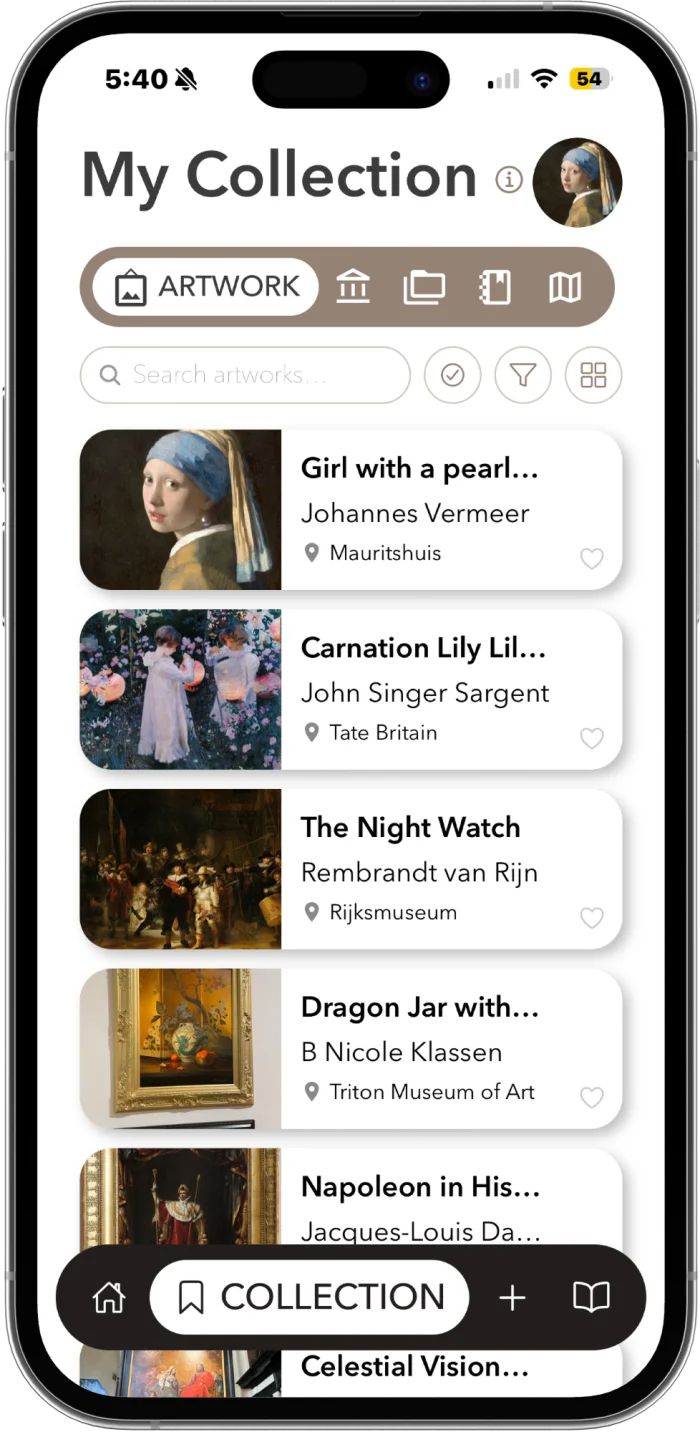
01 Collection
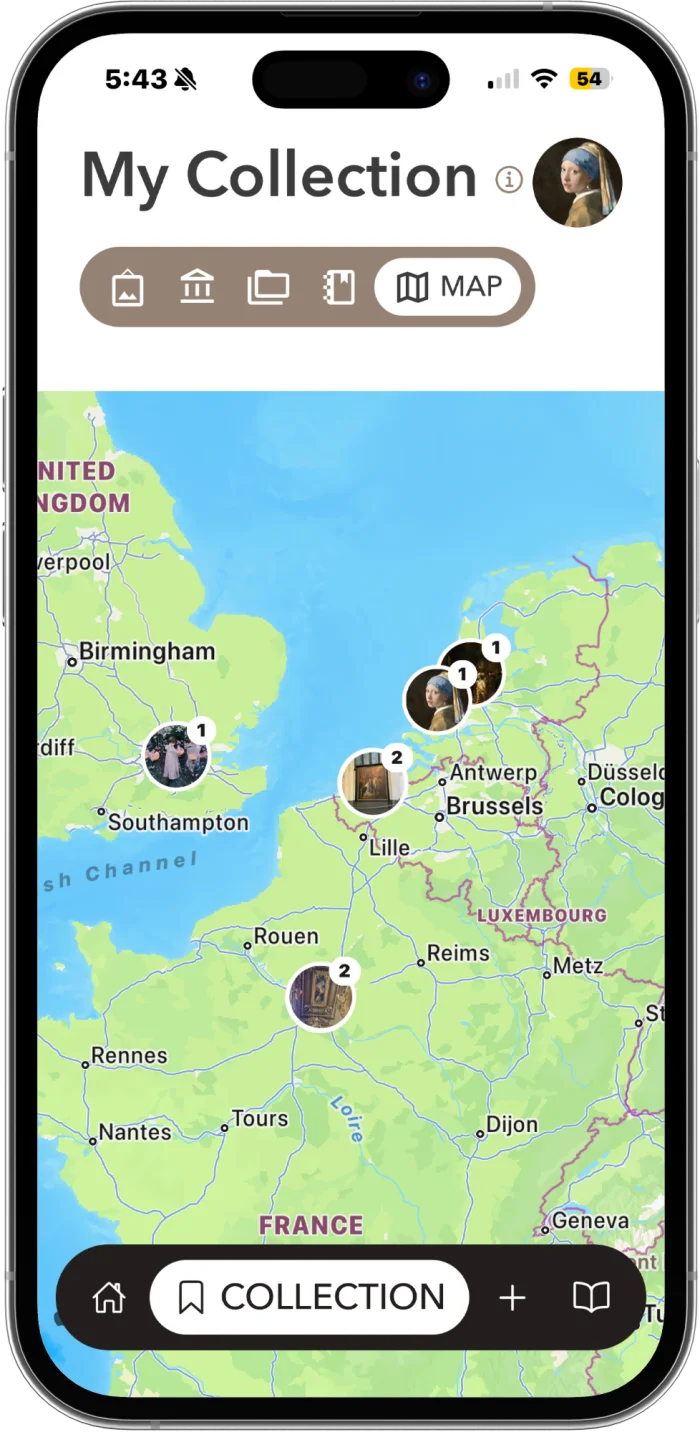
02 Map
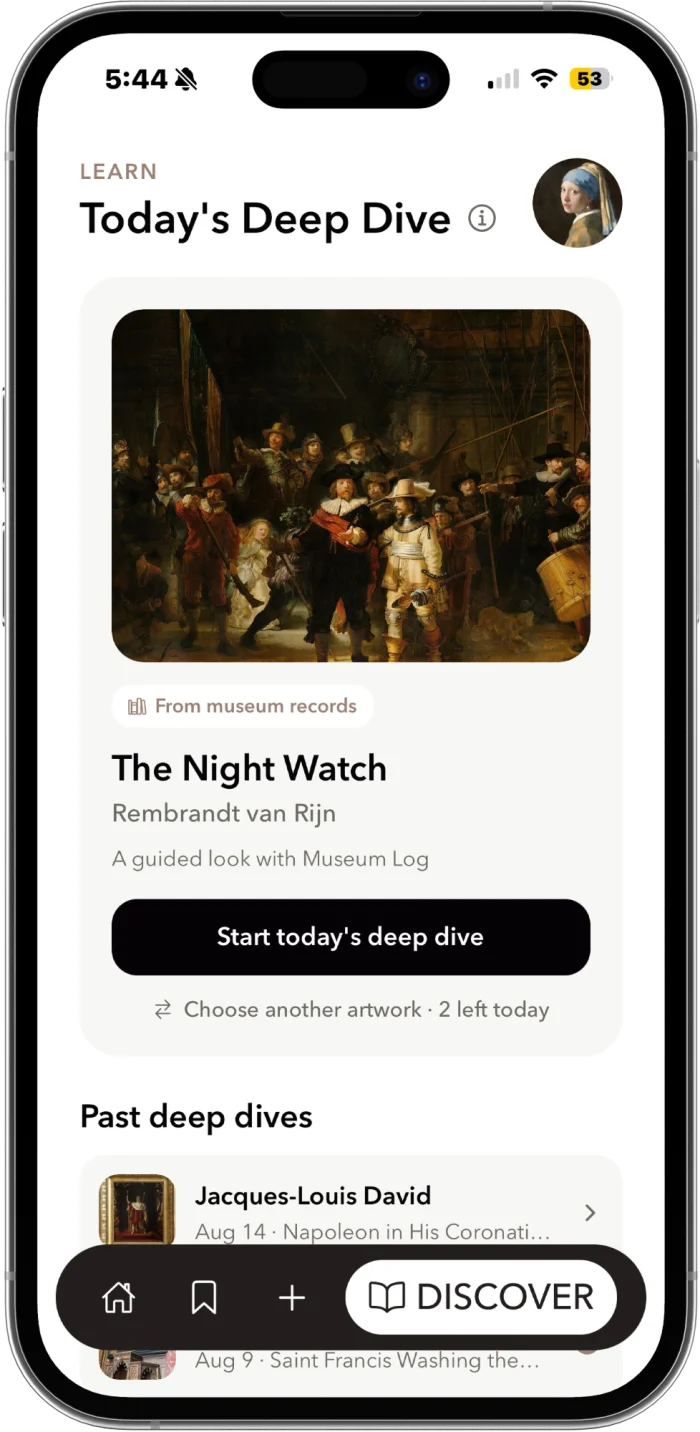
03 Deep dive
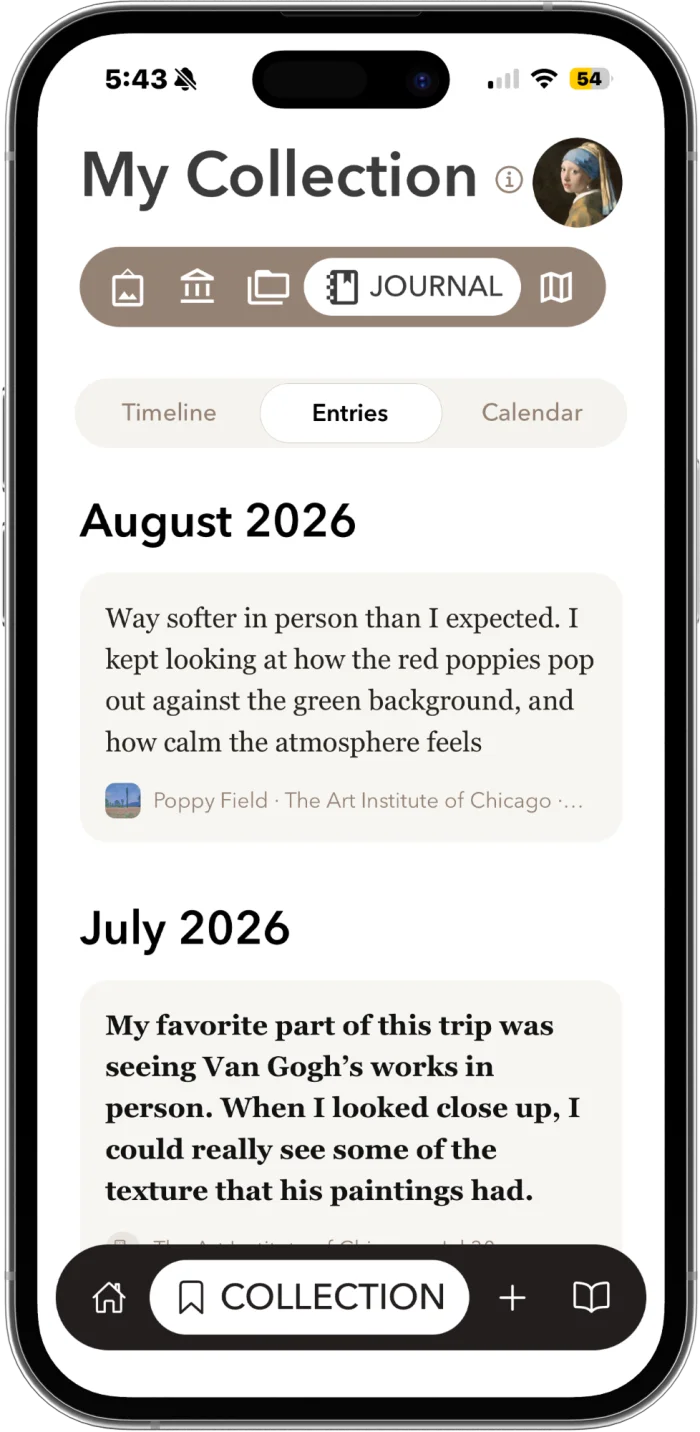
04 Journal
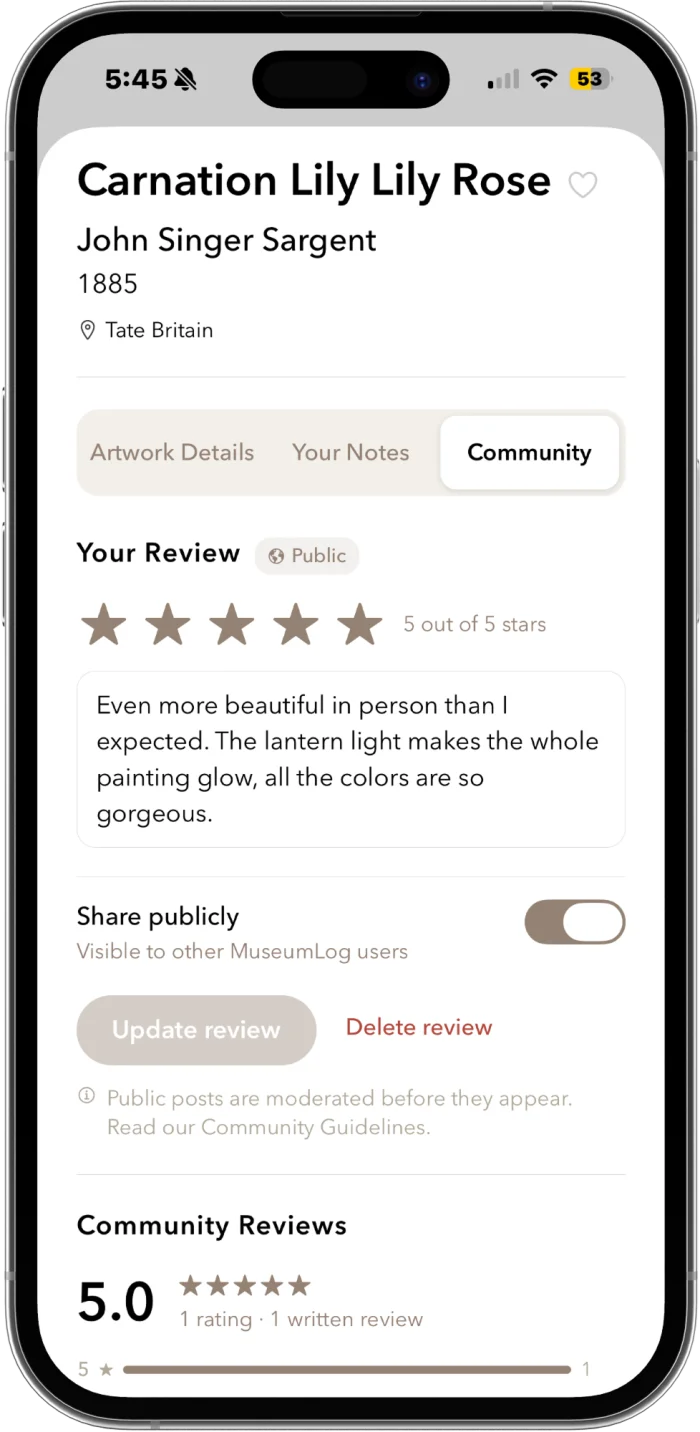
05 Community
07/How recognition works
How recognition works
Museum photos are hard inputs: glare, odd angles, partial frames, crowds. No single signal was reliable enough on its own, so the pipeline combines several and checks its answer before saving it.
- Step 1
Read the label
OCR pulls the artist, title and date from the wall label when one is in the photo.
- Step 2
Look at the work
Visual analysis describes the image itself: subject, composition, style.
- Step 3
Add context
Context about the photo and the visit narrows the search.
- Step 4
Retrieve candidates
The combined signals search an artwork database for likely matches.
- Step 5
Verify
A language model checks the best candidate against the evidence before it is written to the collection.
08/Iteration
Iteration
09/Launch & distribution
Launch & distribution
Distribution started long before the app was finished. I built an audience on Instagram with art-focused content, which fed the waitlist and, in turn, the first wave of installs when Museum Log went live on iOS in August 2026.
Scanning and logging are the core of the app. A premium tier, sold as an annual or lifetime plan, adds the art-history layer behind each work.
10/Lessons